
Running a small business in the UK comes with no shortage of responsibilities, and keeping your finances in order sits firmly at the top of the list. I’ve spent considerable time evaluating accounting software options for UK small businesses, and the landscape has shifted dramatically over the past few years. Gone are the days of clunky desktop ledgers and manual spreadsheets. Today’s cloud-based accounting tools are faster, smarter, and — crucially — built to keep you compliant with HM Revenue and Customs (HMRC) and Making Tax Digital (MTD) requirements.
The shift towards cloud accounting isn’t merely a trend; it’s a structural change in how businesses manage their finances. Whether you’re an online accountant, a sole trader filing quarterly VAT returns, or a growing limited company tracking payroll for a dozen employees, there’s now a purpose-built solution for you—the real challenge is cutting through the noise to find software that truly fits your business needs, budget, and long-term growth plans.
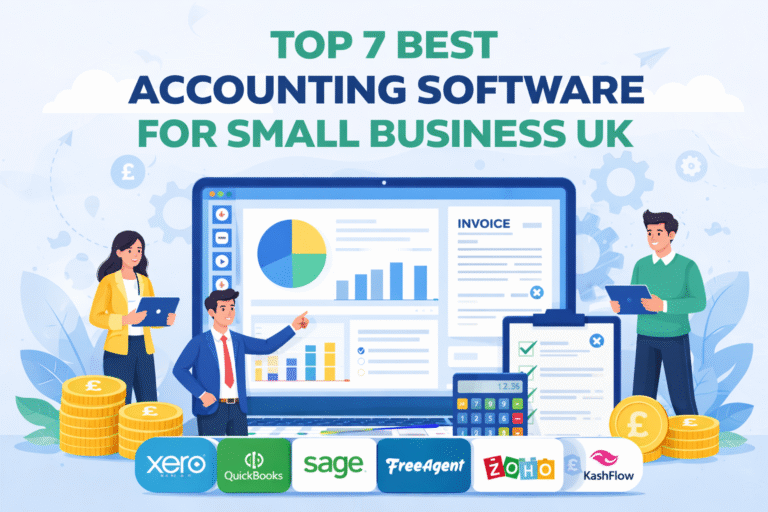
In this guide, I’ll walk you through the top 7 best accounting software options for UK small businesses in 2026. I’ll cover what features matter most, how accountants themselves evaluate these platforms, and which tool best suits your particular circumstances — whether you’re a freelancer, a startup, or an established SME.
| 📌 Key Focus Areas: Tools & features, MTD compliance, accountant preferences, pricing, and ease of use for UK businesses. |
What Accounting Software Do UK Accountants Use?
Before diving into the full review list, it’s worth understanding what the professionals use — because when an accountant recommends a platform, they’re speaking from experience handling dozens of client accounts simultaneously. The good news is that the market has converged around a handful of leading platforms, making the choice somewhat easier.
Cloud-Based Tools Dominate
In my conversations with UK accountants and in reviewing community feedback from forums like AccountingWeb, one theme emerges clearly: cloud-based platforms have comprehensively replaced legacy desktop software for most practices. The reasons are practical — remote access, real-time collaboration with clients, and automatic updates that keep the software compliant with the latest HMRC rules.
The three platforms that come up most frequently in accountant conversations are:
- Xero — widely regarded as the accountant’s favourite, particularly for growing businesses and those needing strong reporting.
- QuickBooks Online — popular for its flexibility and breadth of features, especially among businesses that need robust expense tracking and integrations.
- Sage Accounting — the traditional powerhouse, particularly trusted by established UK businesses and those already embedded in the Sage ecosystem.
Why Accountants Prefer These Platforms
- Real-time collaboration: Accountants can log into a client’s books at any time without waiting for exported files or emailed spreadsheets.
- MTD compliance: All three platforms support Making Tax Digital for VAT and Income Tax, which is no longer optional for most UK businesses.
- Automation and integrations: From bank feeds to payroll to CRM tools, these platforms connect seamlessly with the wider software ecosystem that businesses rely on.
| 💡 Expert Insight: Many UK accountants specifically recommend Xero for its reporting capabilities and scalability. As one AccountingWeb contributor put it, Xero is best for businesses that expect to grow and need their software to grow with them. |
Key Features to Look for in Accounting Software
Not all accounting software is created equal, and the right features depend heavily on your business type and growth stage. Here’s a breakdown of what I look for when evaluating a platform for UK small businesses.
Core Features
- Invoicing & billing: The ability to create professional, branded invoices, set up recurring billing, and track payment status is non-negotiable. Look for automated payment reminders and support for multi-currency if you trade internationally.
- Expense tracking: Snap receipts on your phone, categorise spending, and reconcile against bank transactions. The best tools make this process near effortless.
- Bank reconciliation: A direct bank feed that automatically matches transactions to your records saves hours of manual work each month. This is one area where the quality of implementation varies significantly between providers.
UK-Specific Features
- VAT returns & MTD compliance: Your software must be able to generate and submit VAT returns directly to HMRC. Since MTD for VAT became mandatory for most businesses, this is a baseline requirement — not a bonus feature.
- Payroll integration: For businesses with employees, seamless payroll that handles PAYE, National Insurance contributions, and Real Time Information (RTI) submissions to HMRC is essential.
- HMRC submission support: Self Assessment support, Corporation Tax preparation, and the ability to work directly with your accountant on submissions are increasingly important as HMRC expands its digital services.
Advanced Features
- Automation & AI insights: The best modern platforms now use machine learning to categorise transactions, flag anomalies, and even provide cash flow forecasts. This is no longer reserved for enterprise software.
- Multi-user collaboration: The ability to give your bookkeeper, accountant, and business partner different levels of access without compromising security is vital for growing businesses.
- Third-party integrations: Whether you use Shopify, Stripe, Salesforce, or a sector-specific tool, your accounting software should connect to your existing tech stack without expensive custom development.
Top 7 Best Accounting Software for Small Business UK
Based on my research, hands-on testing, and community feedback from UK users, here are the seven best accounting software platforms available to UK small businesses in 2026.
Xero — Best Overall
Overview
Xero is, by most measures, the gold standard of cloud accounting software in the UK market. Founded in New Zealand but now deeply embedded in the UK accounting ecosystem, Xero has built a reputation for combining genuine power with a clean, intuitive interface. It’s the platform most UK accountants are familiar with, and its app marketplace — with over 1,000 integrations — is unrivalled in the sector.
I’ve found Xero to be particularly well-suited to businesses that are growing and need their software to grow with them. It handles everything from basic invoicing to complex multi-currency reporting, and the quality of its bank feed integration is consistently strong.
Key Features
- Bank feeds: Direct connections to over 21,000 financial institutions globally, with UK high-street banks all well supported.
- Reporting: Profit and loss, balance sheets, cash flow statements, and customisable dashboards — all updated in real time.
- MTD compliance: Full Making Tax Digital support for VAT, with HMRC-recognised software certification.
- Payroll: Xero Payroll handles RTI submissions, pension auto-enrolment, and P60/P11D generation.
- Integrations: Connects with Shopify, Stripe, HubSpot, Salesforce, and hundreds of other tools.
- Multi-currency: Supports over 160 currencies with automatic exchange rate updates.
| ✓ Pros | ✗ Cons |
| Superb reporting and real-time dashboards | Pricier than some competitors |
| Largest app marketplace (1,000+ integrations) | Payroll costs extra on lower tiers |
| Excellent bank reconciliation and feeds | Can feel feature-heavy for sole traders |
| Strong MTD and HMRC compliance | Customer support primarily via email/chat |
| Highly regarded by UK accountants | Learning curve for complete beginners |
| Scales well from sole trader to SME |
Best For: Growing SMEs, businesses with complex reporting needs, and any business whose accountant works in Xero.
Pricing: From £15/month (Starter) to £36/month (Ultimate). A 30-day free trial is available.
| ⭐ Why Accountants Love It: Xero’s reporting suite is the most comprehensive in its class, and the accountant portal — which allows practices to manage multiple client accounts from a single dashboard — makes it the preferred choice for professional accounting firms across the UK. |
QuickBooks Online — Best All-in-One Solution
Overview
QuickBooks Online, developed by Intuit, is a formidable all-in-one accounting solution that competes closely with Xero for the top spot. It’s particularly popular amongst startups and small businesses that want a single platform covering everything from invoicing and expense management to payroll and tax preparation. In the UK market, QuickBooks has invested heavily in MTD compliance and HMRC integration, making it a credible alternative to Xero for businesses of almost any size.
Where QuickBooks tends to edge ahead is in the breadth of its automation features and the quality of its mobile app, which makes it particularly appealing to business owners who manage their finances on the go.
Key Features
- VAT filing: Automated VAT return preparation and direct submission to HMRC via the MTD gateway.
- Expense tracking: Receipt capture, mileage tracking, and automatic categorisation of bank transactions.
- Automation: Rules-based transaction matching, recurring invoices, and automated payment reminders.
- Payroll: QuickBooks Payroll handles everything from basic pay runs to complex PAYE scenarios.
- Cash flow planner: A built-in 90-day cash flow forecast that uses your real financial data.
- Integrations: Connects with PayPal, Shopify, Stripe, and over 650 third-party apps.
| ✓ Pros | ✗ Cons |
| Excellent all-in-one feature set | Interface can feel cluttered at higher tiers |
| Strong mobile app for on-the-go management | Some advanced features locked to pricier plans |
| Good VAT automation and HMRC integration | Fewer integrations than Xero’s marketplace |
| Robust cash flow forecasting tool | Payroll is an additional cost |
| Widely supported by UK accountants | Occasional syncing issues with bank feeds |
| Competitive pricing on entry-level plans |
Best For: Startups, small businesses needing comprehensive automation, and businesses prioritising mobile accessibility.
Pricing: From £12/month (Simple Start) to £90/month (Advanced). A 30-day free trial is available.
| 💡 Accountant Perspective: QuickBooks is particularly valued for its flexibility — it adapts well to a wide range of business types and industries, which is why many accountants keep it in their toolkit alongside Xero. |
Sage Accounting — Best UK-Based Solution
Overview
Sage is the only major accounting software provider in this list that is truly UK-rooted, having been founded in Newcastle in 1981. This heritage matters: Sage has deep relationships with HMRC, a long track record of compliance with UK tax legislation, and a customer base that spans from sole traders to FTSE 100 companies. For established UK businesses — particularly those already using Sage products — the familiarity and depth of local support make it a compelling choice.
Sage Accounting (formerly Sage Business Cloud Accounting) is the cloud-based offering aimed at small businesses, and it has improved significantly in recent years. It’s not the flashiest platform on this list, but it’s reliable, comprehensive, and deeply trusted in the UK market.
Key Features
- Payroll: Sage Payroll is widely regarded as one of the best UK payroll tools available, handling everything from basic RTI to complex pension calculations.
- Reporting: Comprehensive financial reports with strong cash flow management and forecasting tools.
- VAT and MTD: Full MTD compliance with direct HMRC submission and robust audit trail functionality.
- Multi-company: Manage multiple entities from a single login, making it ideal for business owners with several companies.
- AutoEntry integration: Automatic document capture and data extraction for invoices and receipts.
| ✓ Pros | ✗ Cons |
| Deep UK compliance and HMRC expertise | Interface feels less modern than Xero/QuickBooks |
| Excellent payroll functionality | Fewer third-party integrations |
| Strong reputation and large UK user base | Some features require higher-tier plans |
| Good multi-company management | Can be slower to adopt new features |
| Robust audit trail for compliance | Less popular with younger accountants |
| Solid customer support options |
Best For: Established UK businesses, those with complex payroll requirements, and businesses that value UK-based support and expertise.
Pricing: From £14/month (Standard) to £33/month (Plus). A 30-day free trial is available.
| 🏛️ Industry Standing: Sage remains the most recognised accounting brand in the UK, and its long-standing relationship with HMRC gives it a particular credibility in compliance-heavy industries such as construction, manufacturing, and professional services. |
FreeAgent — Best for Freelancers
Overview
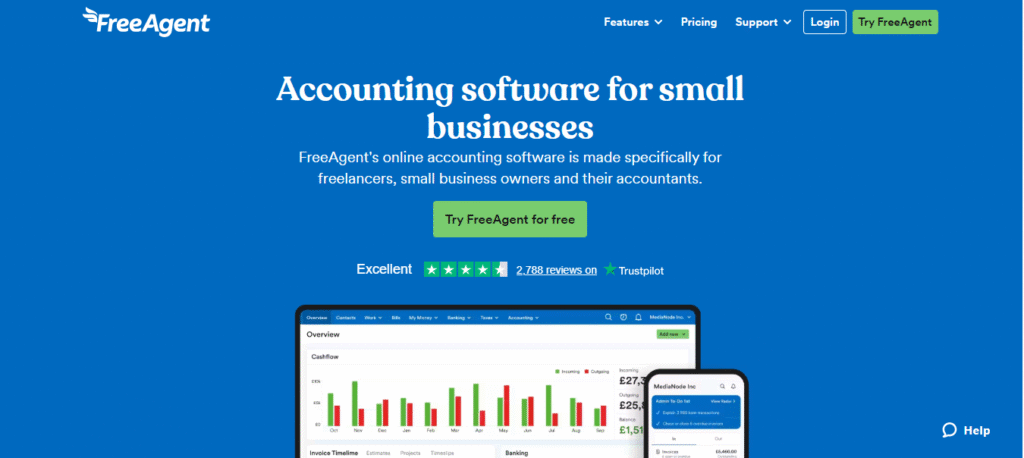
FreeAgent occupies a unique and well-deserved niche in the UK market: it’s the accounting software built specifically for freelancers, contractors, and micro-businesses. Founded in Edinburgh in 2007 and acquired by NatWest Group in 2018, FreeAgent has a genuine understanding of the financial challenges facing sole traders and limited company directors operating on their own.
What makes FreeAgent stand out is its tax forecasting functionality — it continuously estimates your tax liability based on your real-time income and expenses, so you’re never caught short when a tax bill arrives. For freelancers new to self-employment, this feature alone can be a revelation.
Key Features
- Tax forecasting: Real-time estimates of your Self Assessment or Corporation Tax liability, updated as you record transactions.
- Invoicing: Professional invoice creation with automatic payment reminders and late fee functionality.
- Bank feeds: Direct feeds from most UK banks, including NatWest, Royal Bank of Scotland, and Ulster Bank (free for account holders).
- MTD compliance: Full VAT return submission to HMRC via the MTD gateway.
- Self Assessment: Guided Self Assessment filing directly from within the platform.
- Project tracking: Time tracking and project profitability reporting for service-based businesses.
| ✓ Pros | ✗ Cons |
| Excellent tax forecasting for freelancers | Less suited to larger or growing businesses |
| Free with NatWest, RBS, and Ulster Bank accounts | Limited integrations compared to Xero |
| Purpose-built for sole traders and contractors | Payroll is basic compared to Sage |
| Simple, uncluttered interface | Reporting is limited at lower tiers |
| Good Self Assessment support | Not ideal for product-based businesses |
| Strong project and time tracking |
Best For: Freelancers, contractors, consultants, and sole traders — particularly those banking with NatWest, RBS, or Ulster Bank.
Pricing: From £19/month (sole trader) to £29/month (limited company). Free with eligible NatWest Group bank accounts. A 30-day free trial is available.
| 🎯 Freelancer Advantage: FreeAgent’s tax forecasting dashboard takes the anxiety out of tax season. Seeing a live estimate of what you’ll owe — updated with every invoice raised and expense logged — is genuinely transformative for freelancers managing their own finances. |
Zoho Books — Best Budget Option
Overview
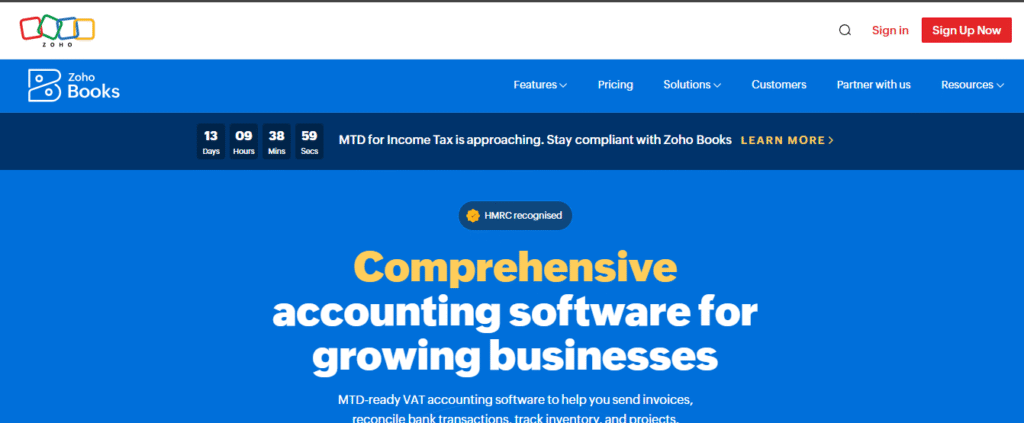
Zoho Books is the accounting module within the broader Zoho ecosystem — a comprehensive suite of business applications covering everything from CRM to project management. For small businesses already invested in the Zoho platform, Books offers exceptional value. But even as a standalone accounting tool, Zoho Books punches well above its price point, offering a generous free tier and automation capabilities that rival tools costing three times as much.
The trade-off is that Zoho Books is less well-known among UK accountants than Xero or QuickBooks, which can create friction if you work closely with a professional practice. That said, for budget-conscious businesses managing their own accounts, it’s an excellent option.
Key Features
- Automation: Workflow automation for invoicing, payment reminders, and expense approvals — highly configurable without coding.
- Integrations: Native integration with the full Zoho suite, plus connections to Stripe, PayPal, and major e-commerce platforms.
- MTD compliance: Full VAT return preparation and HMRC submission via the MTD gateway.
- Client portal: A dedicated portal where clients can view and pay invoices, reducing administrative back-and-forth.
- Free tier: A genuinely capable free plan for businesses with turnover under a certain threshold.
| ✓ Pros | ✗ Cons |
| Excellent value — generous free tier available | Less familiar to UK accountants |
| Strong automation without extra cost | Fewer integrations outside the Zoho ecosystem |
| Great integration with Zoho ecosystem | Free plan has some notable limitations |
| Client portal included at no extra charge | UK-specific features less polished than rivals |
| Good MTD compliance features | Customer support can be slower to respond |
| Competitive paid tier pricing |
Best For: Small businesses on a tight budget, businesses already using other Zoho tools, and those who want strong automation without premium pricing.
Pricing: Free plan available. Paid plans from approximately £12/month. A 14-day free trial is available on paid plans.
| 💰 Budget Winner: For cost-conscious small business owners who are comfortable managing their own accounts, Zoho Books offers a level of functionality that would have cost significantly more even five years ago. |
FreshBooks — Best for Simplicity
Overview
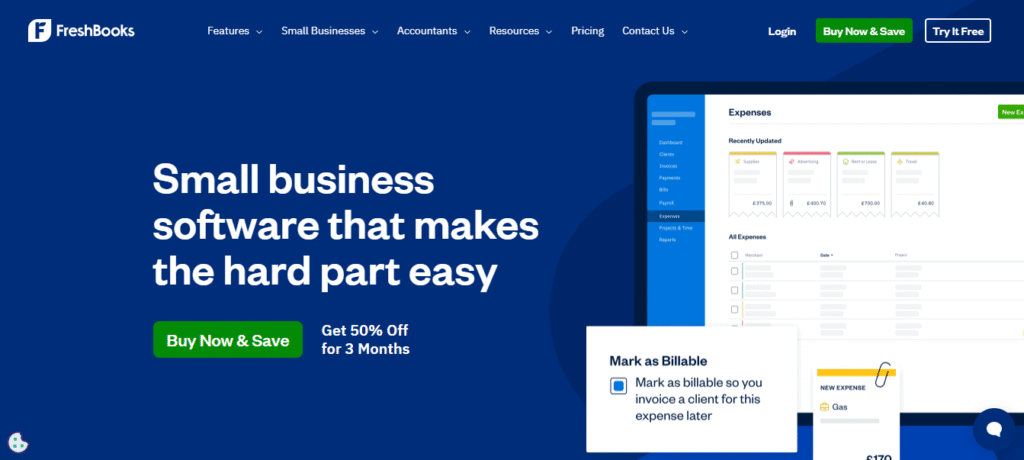
FreshBooks was built with one clear principle in mind: accounting software shouldn’t require an accounting degree to use. It’s the most user-friendly platform in this review, and for non-accountants — particularly service-based businesses and creative professionals — that simplicity is genuinely valuable. FreshBooks excels at invoicing and time tracking, and its interface is consistently praised for its clarity and ease of navigation.
In the UK context, FreshBooks has invested in MTD compliance and HMRC integration, though its UK-specific features are slightly less mature than those of Sage or Xero. For straightforward service businesses without complex accounting needs, however, it remains one of the best options available.
Key Features
- Invoicing: Beautiful, professional invoice templates with automatic payment reminders and late fees. One of the best invoicing experiences in the market.
- Project tracking: Built-in time tracking and project profitability reporting, ideal for agencies and consultancies.
- Expense management: Receipt scanning, automatic bank imports, and simple expense categorisation.
- MTD compliance: VAT return preparation and direct HMRC submission.
- Client communication: Built-in messaging and project collaboration tools that keep all communication in one place.
| ✓ Pros | ✗ Cons |
| Most user-friendly interface on the market | Limited features for product-based businesses |
| Excellent invoicing and time tracking | Reporting less comprehensive than Xero or Sage |
| Great for service-based businesses | UK-specific features less developed |
| Strong mobile app experience | Less accountant familiarity in the UK |
| Good client communication features | Can feel basic for complex financial needs |
| 30-day free trial available |
Best For: Non-accountants, service businesses, creative agencies, consultants, and any business owner who wants simplicity over complexity.
Pricing: From £15/month (Lite) to £55/month (Premium). A 30-day free trial is available.
| ✨ Simplicity Champion: FreshBooks consistently tops user satisfaction surveys for ease of use. If you’ve ever been put off accounting software by its complexity, FreshBooks is where to start. |
KashFlow — Best for Ease of Use (UK-Focused)
Overview
KashFlow is a UK-born accounting platform that has quietly built a loyal following among small business owners who value straightforward functionality without the premium price tag. Now part of the IRIS Software Group, KashFlow benefits from a large UK-focused parent organisation while retaining the simplicity that made it popular in the first place.
It’s not the most feature-rich platform on this list, but for small UK businesses that need solid invoicing, basic payroll, and compliant VAT filing without unnecessary complexity, KashFlow delivers reliably and affordably.
Key Features
- Payroll: KashFlow Payroll is a separate but well-integrated module handling RTI, auto-enrolment, and payslip generation.
- Invoicing: Simple, customisable invoices with payment tracking and automatic reminders.
- VAT tools: MTD-compliant VAT return preparation and direct HMRC submission.
- Bank reconciliation: Automatic bank feeds from UK banks with straightforward reconciliation.
- Reports: Essential financial reports including profit and loss, balance sheet, and aged debtors.
| ✓ Pros | ✗ Cons |
| UK-built and UK-focused feature set | Fewer features than Xero or QuickBooks |
| Simple, no-nonsense interface | Smaller integration marketplace |
| Competitive pricing for small businesses | Less known internationally |
| Good payroll integration | Reporting relatively basic |
| Reliable MTD compliance | Less popular with professional accountants |
| Backed by IRIS — strong UK support |
Best For: Small UK businesses that want a reliable, affordable, UK-focused solution without the complexity of premium platforms.
Pricing: From £9/month (KashFlow Start) to £17.50/month (KashFlow Plus). A 14-day free trial is available.
| 🇬🇧 UK Roots: KashFlow’s UK heritage means it’s designed specifically around the needs and compliance requirements of UK businesses — there’s no sense that VAT and HMRC features were bolted on as an afterthought. |
Comparison Table — Quick Overview
The table below provides a at-a-glance comparison of all seven platforms across the key criteria that matter most for UK small businesses.
| Software | Starting Price | Free Trial | Best For | MTD Compliant | Ease of Use | Accountant Rated |
| Xero | £15/mo | 30 days | Growing SMEs | Yes | 4.5/5 | ★★★★★ |
| QuickBooks | £12/mo | 30 days | Startups | Yes | 4.4/5 | ★★★★★ |
| Sage | £14/mo | 30 days | Established UK | Yes | 4.2/5 | ★★★★☆ |
| FreeAgent | £19/mo | 30 days | Freelancers | Yes | 4.6/5 | ★★★★☆ |
| Zoho Books | Free–£15/mo | 14 days | Budget SMEs | Yes | 4.3/5 | ★★★☆☆ |
| FreshBooks | £15/mo | 30 days | Non-accountants | Yes | 4.7/5 | ★★★☆☆ |
| KashFlow | £9/mo | 14 days | Small UK biz | Yes | 4.1/5 | ★★★★☆ |
Note: Pricing reflects entry-level paid plans at time of writing and may be subject to change. Always verify current pricing directly with the provider.
Pros & Cons of Using Accounting Software
For small business owners considering whether to invest in dedicated accounting software, it’s worth being clear-eyed about both the benefits and the limitations.
Pros
- Saves time with automation: Bank feeds, automatic reconciliation, recurring invoices, and rule-based categorisation eliminate hours of manual data entry every month. The time savings compound as your business grows.
- Reduces human error: Manual bookkeeping is error-prone, and errors can have real financial and compliance consequences. Software significantly reduces the risk of transposition mistakes, missed transactions, and calculation errors.
- Real-time financial insights: Rather than waiting for your accountant’s quarterly update, cloud accounting gives you an up-to-date view of your cash position, outstanding invoices, and profitability whenever you need it.
- MTD and compliance support: With HMRC expanding its Making Tax Digital programme, compliant software isn’t just convenient — it’s increasingly mandatory.
- Professional presentation: Well-designed invoices, quotes, and financial statements project professionalism to clients, suppliers, and lenders.
Cons
- Monthly subscription cost: Unlike one-off desktop software purchases, cloud accounting tools come with ongoing monthly fees. For very small businesses with minimal transactions, this cost may feel disproportionate.
- Learning curve for beginners: Even user-friendly platforms like FreshBooks require some initial investment of time to set up correctly. Getting the chart of accounts right at the start is particularly important.
- Limited features in cheaper plans: Entry-level tiers often restrict the number of users, invoices, or integrations. It’s worth carefully checking what’s included in the plan you’re considering before committing.
- Dependency on internet connectivity: Cloud-based tools require a reliable internet connection. While most platforms offer some offline functionality, a prolonged outage could disrupt your workflow.
Free vs Paid Accounting Software
The question of whether to use free or paid accounting software is one I’m asked regularly, and the honest answer is: it depends on the complexity of your business and where you are in its lifecycle.
Free Tools — Limitations and Use Cases
Free accounting software exists and can be genuinely useful in specific circumstances. Zoho Books offers a free tier for businesses below a certain revenue threshold, and tools like Adminsoft Accounts provide a free desktop option for very basic bookkeeping needs.
However, free tools typically come with meaningful limitations: restricted numbers of invoices or clients, no bank feed integration, limited or no MTD support, and minimal reporting. For a sole trader just starting out with a handful of clients and simple finances, a free tool might suffice. For most businesses — even quite small ones — the limitations become frustrating quickly.
When to Upgrade to Paid
In my experience, the right time to move to paid software is earlier than most business owners expect. I’d recommend upgrading as soon as any of the following apply:
- You’re registered for VAT — MTD compliance makes paid software effectively mandatory.
- You have more than a handful of regular clients or suppliers.
- You’re spending more than an hour per week on bookkeeping.
- You want to work collaboratively with an accountant or bookkeeper.
- You have employees on payroll.
| 📊 Example: Adminsoft Accounts is a free UK desktop accounting tool that works well for sole traders with very simple needs. Once you start dealing with VAT, payroll, or complex reconciliations, however, a cloud-based paid solution will quickly prove its worth. |
How to Choose the Right Software for Your Business
With seven strong contenders reviewed, how do you make the final decision? Here’s the framework I use when advising small business owners.
Business Size
Sole traders and micro-businesses (under 5 employees) are well served by FreeAgent, FreshBooks, or KashFlow. Growing SMEs with more complex needs should look at Xero or QuickBooks Online. Established businesses with payroll complexity may prefer Sage.
Industry-Specific Needs
Service businesses (agencies, consultants, freelancers) benefit most from strong invoicing and time tracking — FreshBooks and FreeAgent shine here. Product-based businesses with inventory management needs will find Xero and QuickBooks more capable. Construction and manufacturing businesses often benefit from Sage’s deep UK compliance heritage.
Budget
If cost is the primary constraint, Zoho Books offers the best functionality per pound at the entry level. KashFlow is the most affordable dedicated UK solution. For businesses that can invest £20–40 per month, the productivity gains from Xero or QuickBooks will almost certainly outweigh the cost.
Accountant Compatibility
If you work with — or plan to work with — a professional accountant or bookkeeper, ask them what platform they use. Working in the same system dramatically reduces friction and can lower your accountancy fees. Most UK practices work primarily in Xero or QuickBooks, so those are the safest bets for accountant compatibility.
Expert & Community Insights
Real-world feedback from UK users paints a consistent picture that aligns with my own assessment. Here’s what the accounting community has to say.
On forums like AccountingWeb and Reddit’s UK personal finance community, the sentiment around Xero is consistently positive from both accountants and business owners who’ve grown into its features. Simpler platforms like FreeAgent get strong praise from freelancers who appreciate not being overwhelmed by features they don’t need.
| 💬 Community Voice: One AccountingWeb contributor summarised the market well: “Xero is best for businesses that need strong reporting and work closely with their accountant. FreeAgent is simpler and more intuitive for small businesses managing their own accounts.” This tension — between accountant-favoured power and owner-favoured simplicity — defines the market. |
This observation resonates strongly with my experience. Accountants tend to favour feature-rich platforms that give them the data and reporting capabilities they need to serve clients well. Business owners — particularly those without a financial background — often prioritise ease of use and a clear, simple dashboard.
The ideal solution, of course, is a platform that satisfies both. In the UK market, Xero comes closest to achieving that balance, which is why it tops this list. But the “best” software is always the one that gets used consistently and accurately — and that means choosing a platform you’ll actually engage with.
Final Verdict
After reviewing all seven platforms in depth, here are my final recommendations based on different business profiles:
| Category | Recommended Platform | Key Reason |
| Best Overall | Xero | Strongest ecosystem, reporting, and accountant support |
| Best for Beginners | FreshBooks | Most user-friendly interface; minimal learning curve |
| Best for Freelancers | FreeAgent | Tax forecasting, Self Assessment, purpose-built for sole traders |
| Best Budget Option | Zoho Books | Generous free tier; strong automation at low cost |
| Best UK-Specific | Sage Accounting | Deep HMRC compliance heritage and payroll strength |
| Best All-in-One | QuickBooks Online | Broadest feature set with excellent automation |
| Best for Simplicity | KashFlow | UK-focused, affordable, and no-nonsense functionality |
My overarching recommendation remains Xero for most UK small businesses — particularly those working with an accountant or planning to grow. Its combination of power, usability, and professional credibility is unmatched in the current market. That said, no single platform is right for everyone, and I encourage you to take advantage of the free trials on offer before committing.
Frequently Asked Questions
What accounting software do most UK accountants use?
The majority of UK accountants use cloud-based platforms, with Xero and QuickBooks Online being the most widely adopted. Xero is particularly popular with modern, tech-forward accounting practices, while QuickBooks maintains a strong presence particularly among firms serving a wide variety of client sizes. Sage remains widely used, especially in more traditional practices and larger organisations. The shift to cloud has been near-universal — very few practices rely solely on desktop software today.
Is Xero better than QuickBooks in the UK?
This is genuinely close, and the answer depends on your specific needs. Xero edges ahead on reporting quality, the breadth of its integration marketplace, and accountant familiarity in the UK market. QuickBooks counters with stronger automation, a more capable mobile experience, and a slightly more competitive entry-level price point. For growing SMEs working closely with an accountant, Xero is generally the better choice. For startups and sole traders who prioritise all-in-one functionality and mobile management, QuickBooks is an excellent alternative.
What is the cheapest accounting software in the UK?
The most affordable options are Zoho Books (which has a free tier for qualifying businesses) and KashFlow (from £9/month). FreeAgent is available free to NatWest, RBS, and Ulster Bank business account holders. For businesses that need nothing more than basic bookkeeping and invoicing, Zoho Books’ free plan is the most cost-effective starting point. Bear in mind that free and cheap plans often have meaningful limitations — always check what’s included before committing.
Do I need accounting software for a small business?
Strictly speaking, HMRC doesn’t mandate a specific piece of software — but Making Tax Digital requirements mean that businesses above the VAT threshold must keep digital records and submit returns digitally. Even below the VAT threshold, the time savings, accuracy improvements, and real-time financial visibility that accounting software provides make it a worthwhile investment for virtually any business. Attempting to manage a growing business’s finances on spreadsheets becomes increasingly risky and inefficient; dedicated software pays for itself quickly in time saved and errors avoided.